Contents
Common Issues
Here you find solution to common game issues.
Please read through this file before asking questions in discord.
Could not find vampire.exe
… at the path configured in ModOrganizer.ini
If you encounter the error depicted here 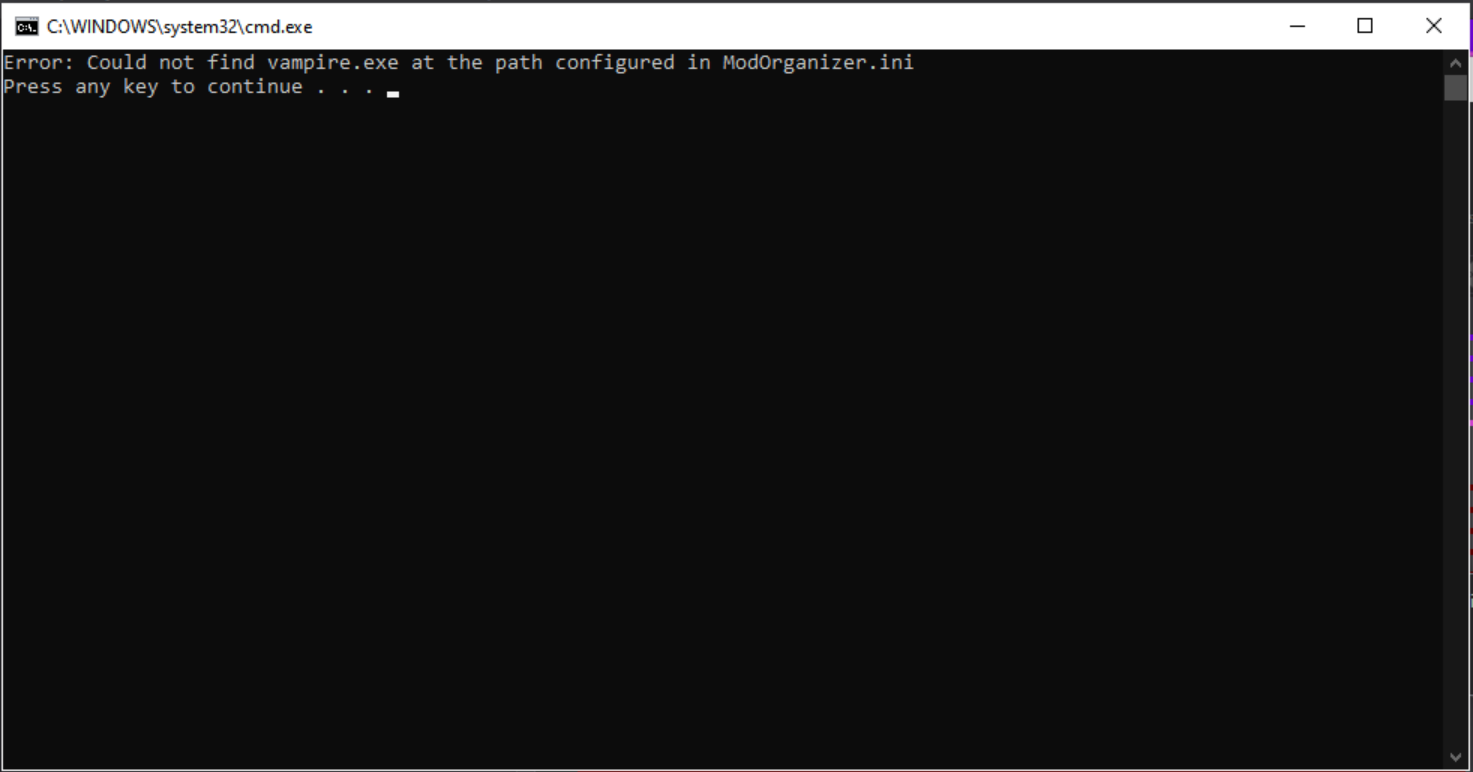 …click on “Settings” in the top navigation menu. Navigate to the “Paths” tab and make sure the path in the “Managed Game” field points to your actual install folder and to the correct path for vampire.exe, like depicted below.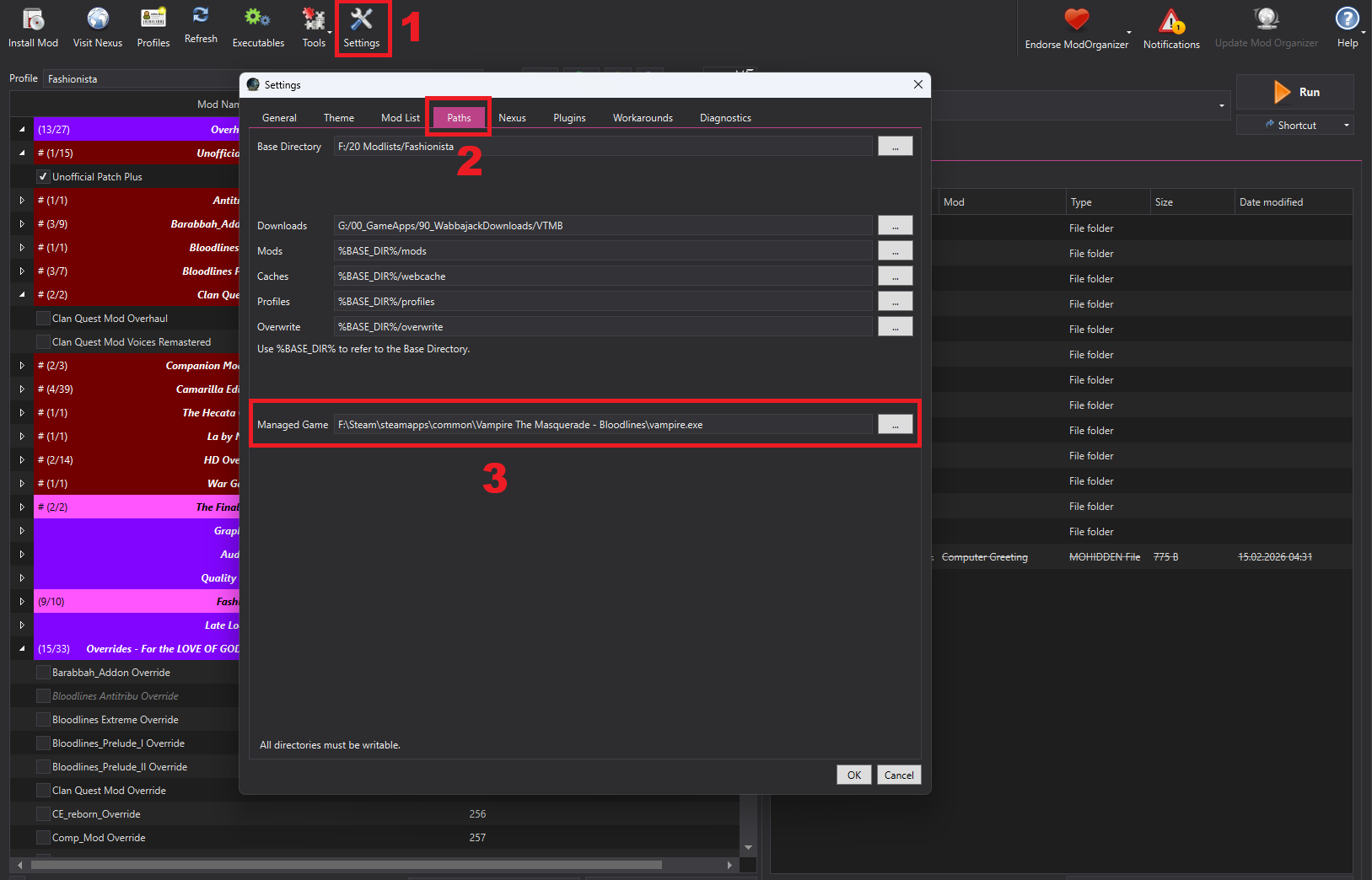
Windowed or fullscreen mode
Select your profile in MO2, then choose its Windowed or Fullscreen executable next to Run. You do not need to edit Bloodlines.ini to switch modes. See Launch the Game for the full steps.
Getting support
If you need help after checking this page, include the following with your report:
- The MO2 profile you are using.
- Your character’s clan and gender.
- What happened, and what you expected to happen instead. Include the steps that led to the issue.
- A screenshot of MO2 showing both the selected profile and the Windowed or Fullscreen executable.
- Screenshots of any error messages.
- An affected save file, if you can provide one.
- Every change you made to the list, including mods you installed or removed and mods you enabled or disabled.
If you added mods or enabled anything outside the documented Optional Mods, post in the Modified support category. Reports without the information needed to reproduce the issue may go unanswered.